



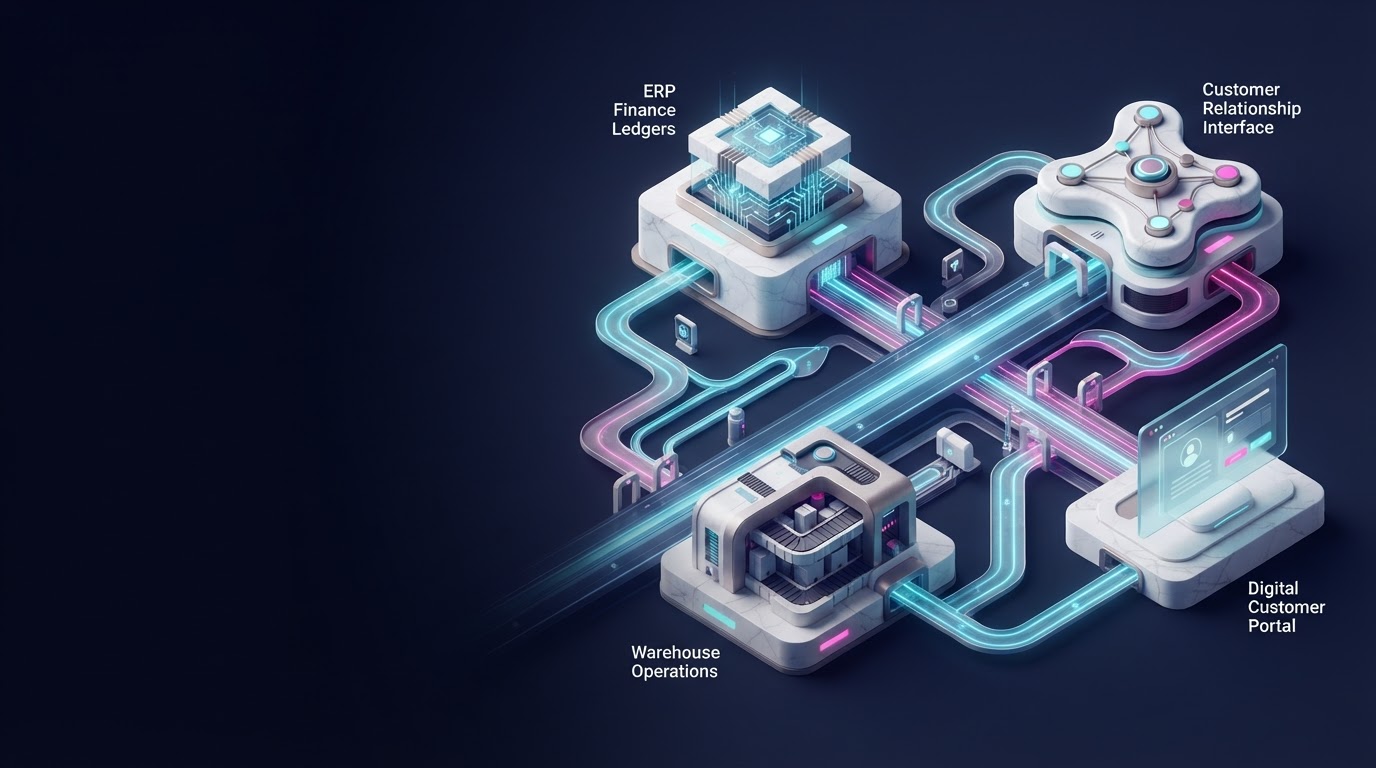

When a sales team updates a customer record, a warehouse dispatches an order and finance raises an invoice, the underlying systems rarely operate as neatly as the process diagram suggests. Australian enterprises often depend on a mixture of Microsoft Dynamics 365, established ERP platforms, custom databases, cloud applications and digital portals. Connecting them can remove manual handling and improve service. Poorly scoped integration, however, can simply move the problems into a harder-to-maintain layer.
The question for a CIO, technology director or operations leader is not just “Can these systems connect?” It is “What information needs to move, how reliably, who owns it and what will it cost to operate after launch?”
This guide explains how to scope an enterprise systems integration project before committing to a platform, implementation estimate or delivery date. It is intended for organisations dealing with multiple vendors, legacy applications and business-critical workflows.
What should an enterprise systems integration project actually deliver?
An integration is commercially successful when it produces a measurable business outcome, not merely a working API connection. Examples include reducing rekeying between sales and finance, making order status available to customers, removing duplicate supplier records or reducing the time required to reconcile inventory between systems.
Start by documenting four things for each proposed integration:
- Business event: What triggers the exchange? For example, an order is approved, a shipment leaves a facility or an invoice is paid.
- System of record: Which application owns the authoritative customer, product, order or financial data?
- Required outcome: What must the receiving system do, and how quickly?
- Failure consequence: What happens to a customer or employee if the exchange fails, duplicates or arrives late?
A “sync everything” requirement is usually a warning sign. It obscures the priority workflows and encourages unnecessary data movement. A better first scope focuses on the few transactions whose reliability, timeliness or accuracy have clear commercial value.
Step 1: Map the workflows before selecting technology
Bring the process owners into discovery alongside the technical teams. Sales, customer service, operations, finance and compliance may all describe the same transaction differently. The difference matters. A sales opportunity becoming “won” in a CRM is not necessarily the same event as a finance-approved order, and either could be a poor trigger for fulfilment.
Create an end-to-end workflow map showing:
- Who creates and can change a record.
- Every application that reads or writes it.
- Approval, validation and exception paths.
- Volumes, peak periods and any batch-processing windows.
- Personal or commercially sensitive information involved.
- Manual workarounds and the teams responsible for them.
For example, an online customer portal might receive an order, confirm price and credit status against ERP, update the CRM, reserve stock and notify logistics. If one service is temporarily unavailable, should the customer see an error, a pending order or a confirmed order? That decision is a business requirement, not a developer implementation detail.
Step 2: Inspect the actual integration capability of each system
Do not assume the presence of an API means the project is straightforward. Vendors may provide read-only endpoints, restrict access to particular entities, apply request limits or impose additional licence costs. Older applications may depend on file exports, database jobs or proprietary middleware.
For every platform, establish the authentication method, API versions, supported events or webhooks, data formats, test environments, rate limits, change windows and vendor support arrangements. Determine whether a vendor must approve connectivity or provide custom development.
Record the undocumented dependencies too. A nightly spreadsheet upload maintained by one employee may be more business-critical than a well-documented API.
Where an integration will touch CRM and ERP solutions, an early assessment of data quality and process ownership can avoid expensive rework later. Where existing systems need new endpoints or adapters, custom API development may be appropriate.
Step 3: Choose the right integration pattern for the workflow
There is no single architecture that suits every transaction. A practical decision is whether a process needs an immediate answer, can tolerate a short delay or is best run in a scheduled batch.
Direct APIs for synchronous requests
Use a synchronous API call when the user needs a result in the same interaction, such as validating an account or checking current availability. The design must account for timeouts and the possibility that a downstream service becomes unavailable. A tightly chained sequence of live calls can make the entire customer journey depend on the least reliable component.
Events and queues for decoupled processing
Messaging is often preferable where systems should continue working independently, for example publishing a confirmed order for invoicing, fulfilment and notifications. The trade-off is that downstream updates can be delayed and the design needs monitoring, replay and reconciliation. Consumers must also cope with duplicate messages. Microsoft’s idempotent consumer guidance explains why at-least-once message delivery requires explicit duplicate handling.
Scheduled batch processing where immediacy adds no value
Some processes, such as periodic master-data reconciliation or historical reporting, do not need real-time integration. A well-controlled scheduled exchange may be simpler and less expensive to run. The critical requirement is to agree on freshness, failure alerts and recovery procedures rather than describing the process as “real time” by default.
Managed integration services versus custom code
For Azure-based estates, Microsoft’s enterprise integration reference architecture describes how services including Logic Apps and API Management can orchestrate and expose integrations. Other scenarios may call for Service Bus, Event Grid, Functions, an existing integration platform or a tailored service. These are architectural options, not a shopping list.
Choose based on operational capability, security, throughput, extensibility, support costs and vendor constraints. A small, purpose-built service can be a good fit. So can a managed integration platform. The expensive outcome is an accidental mixture of both that nobody owns.
Step 4: Make data ownership and error handling explicit
Many integration defects are really disagreements about data. One system stores a customer as a legal entity; another stores individual contacts; a third treats each branch as a separate account. Blindly matching identifiers or relying on names can cause incorrect invoices, duplicates or mismatched stock.
Define the system of record for each major data domain, the matching keys, required transformations, validation rules and how conflicts are resolved. Also specify what happens when the destination rejects a record.
At minimum, the design should answer:
- Can the same transaction be safely retried without duplicating it?
- How is a failed message quarantined, corrected and replayed?
- Can staff reconcile the source and destination records?
- Is there a unique transaction identifier across systems?
- Who is alerted when failures exceed agreed thresholds?
Microsoft’s transient fault guidance warns against unbounded or duplicated retry behaviour that can make an outage worse. A resilient integration is designed for things to go wrong and for business teams to recover without reconstructing an incident from scratch.
Step 5: Scope security and governance as delivery requirements
Integrations often run with elevated access to operational and customer data. Security should be designed into the project, not added at the end. Confirm whether personal information crosses system or geographic boundaries and whether the organisations involved have the right agreements and controls.
Review service identities, least-privilege permissions, secrets management, encryption, environment separation, API exposure, logging, retention, audit trails and incident response. Assess how a credential is revoked, how a partner connection is disabled and how data access changes after a staff or supplier transition.
When Power Apps or Power Automate connect operational systems, the tenant’s connector data policies also matter. Microsoft documents how Power Platform data policies govern which connector groups can be used together. These controls complement, rather than replace, application permissions and detailed integration security design.
Security acceptance criteria should be testable. “Secure API” is not an adequate requirement. “Only the fulfilment integration identity can update shipment status, with auditable failures and a documented revocation procedure” is closer to one.
Step 6: Estimate the whole project, not only API development
Enterprise integration estimates often become unreliable because teams cost the obvious build work but not the discovery, transformation, testing and long-term operations. No credible fixed price can be inferred from the number of systems alone.
The main cost drivers are:
- Number and complexity of workflows: Five systems with one simple exchange may be easier than two systems with dozens of exception paths.
- Data quality and mapping: Inconsistent identifiers, duplicates, missing mandatory fields and legacy formats create investigation and clean-up effort.
- Vendor readiness: API access, sandbox quality, documentation, rate limits and responsiveness affect delivery time.
- Security and compliance: Identity, networking, audit evidence and data-handling requirements can influence architecture.
- Non-functional demands: Peak throughput, recovery time, uptime, latency and reconciliation requirements affect build and testing.
- Ongoing support: Cloud consumption, licences, alerting, incident response, changes to upstream APIs and regular testing are recurring costs.
Ask prospective partners to distinguish known scope, assumptions, excluded dependencies and contingencies. A cheaper proposal with unpriced vendor or data-clean-up dependencies may carry more commercial risk than a more complete estimate.
Step 7: Establish an indicative 90-day discovery and delivery roadmap
A 90-day roadmap is useful for governance, but it is not a promise that a complex integration estate can be completed in three months. Treat it as a staged example, adjusted for procurement, vendors and technical discovery.
Days 1–20: Discover and prioritise
Interview process owners, map transaction journeys, inspect APIs, profile sample data, identify risks and agree on measurable outcomes. Rank the first workflows by business value, dependency risk and implementation effort.
Days 21–40: Prove the highest-risk assumptions
Validate vendor connectivity and authentication, test representative records, prove the error and retry model, and confirm where transformation or additional licences are required. Produce an integration architecture and a delivery estimate grounded in the evidence.
Days 41–70: Build one end-to-end vertical slice
Implement the smallest useful business flow through the real integration layers, with logging, automated tests and observable failure handling. Involve the users who will reconcile issues, not just the software teams.
Days 71–90: Harden, rehearse and decide the next release
Run realistic tests for peak volumes, bad data, permissions, repeated messages and unavailable dependencies. Rehearse recovery and handover. Only then expand to the remaining workflows, based on the risk and value of each release.
For particularly large estates, extend these stages and separate the discovery engagement from build authorisation. A phased approach makes it easier to control investment and avoid designing a large platform around untested assumptions.
What should be in your integration project brief?
Before seeking a firm implementation proposal, aim for a concise brief containing the following:
- Business case: The process problem, baseline performance and target outcome.
- Process maps: Triggers, users, exception paths and timing requirements.
- Application inventory: Vendors, versions, environments, owners and available interfaces.
- Data contracts: Source of truth, key entities, mappings, validation and reconciliation.
- Architecture decisions: APIs, events, batches and deployment responsibilities.
- Non-functional requirements: Availability, recovery, throughput, observability and security.
- Acceptance criteria: Examples of successful processing, duplicate protection and recovery from failure.
- Commercial model: Initial delivery, third-party costs, operations, change management and support ownership.
If any of these are unknown, record the uncertainty rather than replacing it with an optimistic assumption. The purpose of discovery is to reduce uncertainty before it becomes an expensive variation.
How to measure whether the integration was worth the investment
Agree on a baseline before development. Useful measures might include the number of records re-entered manually, average order-processing time, reconciliation exceptions per week, failed transactions requiring staff intervention, or time taken to onboard a new customer.
Measure both business performance and technical service. A flow that processes 99.9% of messages but routinely fails on the most valuable accounts may not meet the business objective. Conversely, a slightly delayed but reliable batch process may deliver an excellent return where immediacy is unnecessary.
Track operating costs after launch, including licences, cloud services, support, incident handling and supplier change requests. Integration quality is partly demonstrated by how predictably the connected landscape can evolve.
When to bring in an enterprise integration partner
External support is particularly useful when systems are owned by different teams or vendors, requirements cross business units, an ageing ERP must coexist with newer cloud platforms, or a critical customer journey depends on several applications working together.
An experienced partner should be willing to challenge the proposed solution, investigate the real workflows and recommend simpler options when they are justified. Newpath combines API and custom integration development, CRM and ERP expertise, and automation and AI solutions to help organisations modernise interconnected systems without losing sight of the commercial outcome.
Planning an integration between Dynamics 365, ERP, legacy applications, cloud platforms or customer portals? Contact Newpath to discuss an integration discovery and architecture assessment. We can help identify your highest-value workflows, technical constraints, risk areas and an evidence-based path to delivery before you commit to a major build.