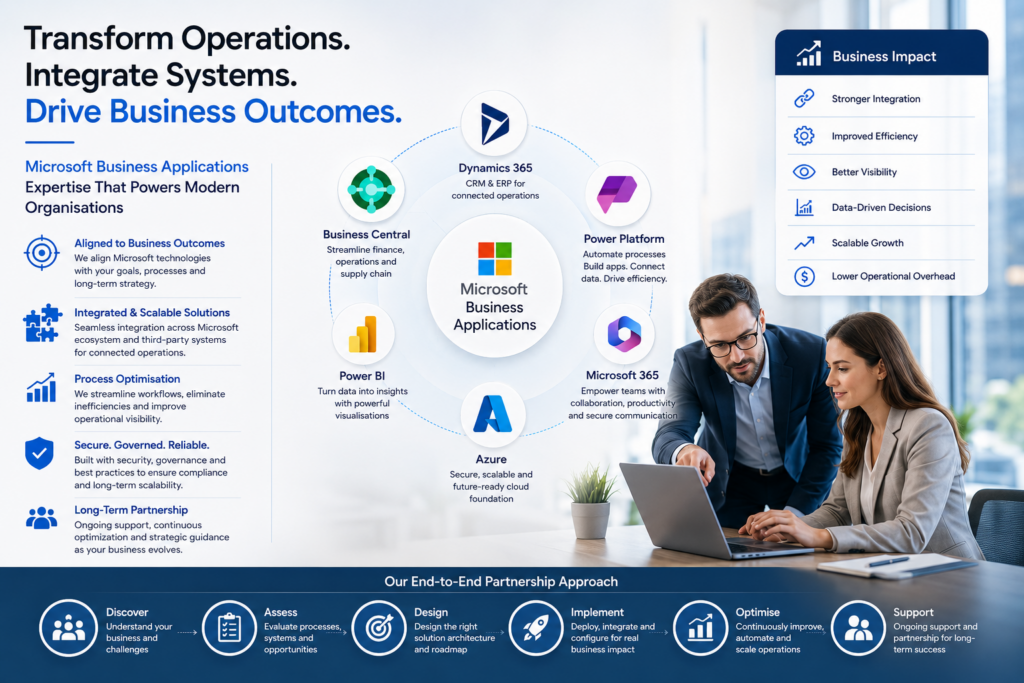





In an era where efficiency and agility define business success, automation has become the backbone of digital transformation. Microsoft Power Automate—one of the cornerstone tools of the Power Platform—empowers organisations to streamline repetitive tasks, integrate complex systems, and enhance productivity across departments.
As businesses seek smarter ways to connect people, processes, and data, Power Automate stands out as a flexible, low-code solution that can simplify operations without requiring extensive development resources. For organisations working with a microsoft power platform consultant, the possibilities of what can be built with Power Automate extend far beyond simple workflow automation.
The Role of Power Automate in Modern Business
At its core, Power Automate allows users to create automated workflows that connect hundreds of apps and services—from Microsoft 365 and Dynamics 365 to third-party platforms like Salesforce, Slack, and Twitter. These automated workflows, or “flows,” can be triggered by events, scheduled to run at specific intervals, or designed to respond dynamically to changing data conditions.
By using visual, drag-and-drop tools, teams can build automation without writing complex code. This accessibility makes it a powerful tool not only for IT departments but also for business analysts and operations teams looking to drive efficiencies within their own workflows.
However, beyond simple automation, Power Automate supports advanced capabilities including robotic process automation (RPA), AI-driven document processing, and business logic integration across multiple systems. This makes it a foundational component of any intelligent digital ecosystem.
What You Can Build with Power Automate
The versatility of Power Automate means it can support use cases across virtually every industry and business function. Below are several key examples that highlight its impact:
- Automated Notifications and Approvals
One of the most common uses of Power Automate is streamlining communication and decision-making processes. Businesses can build automated workflows that send real-time notifications or route approval requests to the right people.
For instance, a company can automate the approval of expense reports, purchase orders, or content publishing workflows. When an employee submits an expense claim, Power Automate can automatically notify the manager via Microsoft Teams or email, capture the approval, and log the decision in a SharePoint list or Dynamics 365 record.
- Data Synchronisation Between Systems
Many organisations struggle with data silos, where information is fragmented across different systems. Power Automate bridges these gaps by creating flows that synchronise data between applications—ensuring accuracy and consistency.
For example, when a new lead is created in a CRM system, Power Automate can automatically replicate that information in a marketing database or ERP system, eliminating the need for manual updates. This level of integration ensures that every department operates from a single, reliable source of truth.
- Document Automation and Processing
Power Automate, combined with AI Builder, can extract data from documents such as invoices, contracts, or forms, and process them automatically. The system can identify key information—like vendor details or payment amounts—and input it directly into business systems.
This automation not only reduces manual data entry errors but also accelerates document processing times. For industries like finance, insurance, or logistics, this can translate into significant time and cost savings.
- Employee Onboarding and HR Automation
Human resources teams can benefit enormously from automation. Power Automate can help manage new employee onboarding by automatically creating user accounts, assigning permissions, scheduling training, and sending welcome emails—all triggered when a new hire record is added to a database.
It can also manage ongoing HR processes such as leave requests, policy acknowledgements, and performance review reminders. By reducing administrative overhead, HR departments can focus more on employee engagement and development.
- Customer Engagement and Service Automation
For customer-facing teams, Power Automate enhances responsiveness and service quality. Businesses can create workflows that automatically notify support teams when a customer submits a request through a form, generate tickets in Dynamics 365 Customer Service, and send automated follow-up emails.
By combining Power Automate with Power Virtual Agents, organisations can even automate responses to common customer queries, ensuring that users receive instant assistance while agents handle more complex cases.
Advanced Capabilities: RPA and AI Integration
Beyond traditional automation, Power Automate enables robotic process automation (RPA) to handle tasks that require interaction with legacy systems or non-API-based applications. RPA bots can mimic human actions—such as copying data from an old accounting system or entering information into a web portal—eliminating the need for manual input.
In addition, the integration of AI Builder allows users to infuse intelligence into their workflows. Whether it’s sentiment analysis, form recognition, or object detection, businesses can make data-driven decisions automatically. For instance, an AI-enhanced workflow might route customer complaints with negative sentiment to a senior service representative for priority handling.
A power platform functional consultant plays an important role here—helping organisations identify high-impact automation opportunities, align them with business goals, and ensure governance and scalability across teams.
Governance, Security, and Best Practices
While Power Automate’s accessibility is a major advantage, governance is key to maintaining control and security. A well-defined automation strategy should include clear approval processes, data access rules, and auditing mechanisms.
Power Automate integrates natively with Microsoft’s security framework, leveraging Azure Active Directory (AAD), data loss prevention (DLP) policies, and role-based access controls. These capabilities help businesses automate confidently while adhering to compliance standards.
Partnering with an experienced consultant ensures that automation initiatives are properly designed, monitored, and aligned with organisational risk management frameworks.
Empowering Innovation Through Automation
Power Automate is more than a tool—it’s an enabler of transformation. Connecting applications, automating workflows, and integrating AI, it helps businesses accelerate innovation while maintaining operational discipline.
From marketing automation to financial reconciliation, from HR processes to supply chain management, the potential applications are virtually limitless. With strategic guidance and technical support, organisations can build an automation ecosystem that not only saves time but also unlocks new opportunities for growth and innovation.
When harnessed effectively, Power Automate turns everyday business processes into intelligent, interconnected workflows that drive measurable impact—making it one of the most valuable tools in the modern digital enterprise.