



Many organisations evaluating Microsoft business platforms eventually encounter the same question.
Should we implement Dynamics 365, or Business Central?
At first glance the distinction can be confusing. Both platforms sit within Microsoft’s broader ecosystem. Both integrate seamlessly with tools like Microsoft 365, Azure, and Power BI. Both support critical business processes such as finance, operations, and customer management.
However, despite these similarities, the two platforms are designed to solve very different organisational problems.
Choosing the wrong platform can introduce unnecessary complexity, limit future scalability, or force organisations to redesign parts of their technology landscape as they grow.
Understanding the differences between the two systems is therefore essential before committing to a long-term business platform.
This article explores how the platforms differ, the types of organisations they are designed for, and the factors businesses should consider when deciding between them.
Understanding Microsoft’s Business Application Landscape
Before comparing the two platforms directly, it is useful to understand how Microsoft structures its business applications.
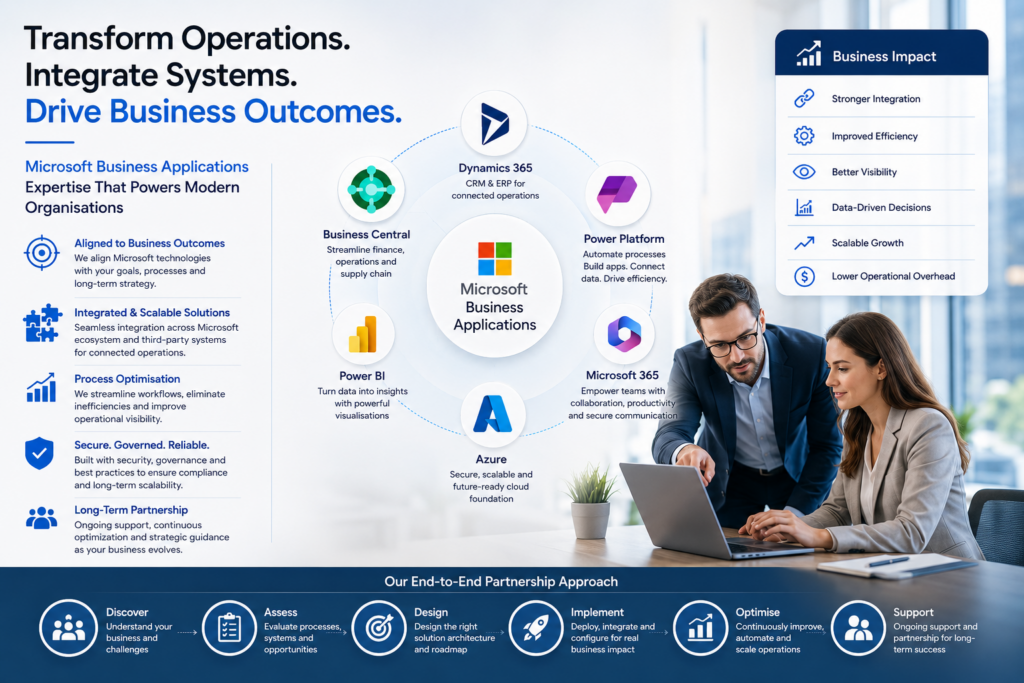
Microsoft’s enterprise software ecosystem includes several key components:
• Microsoft 365 for productivity and collaboration
• Azure for cloud infrastructure and services
• Power Platform for automation, analytics, and low-code development
• Dynamics 365 applications for business processes
• Business Central for ERP capabilities within the SMB and mid-market segment
Within this landscape, Dynamics 365 and Business Central serve related but distinct roles.
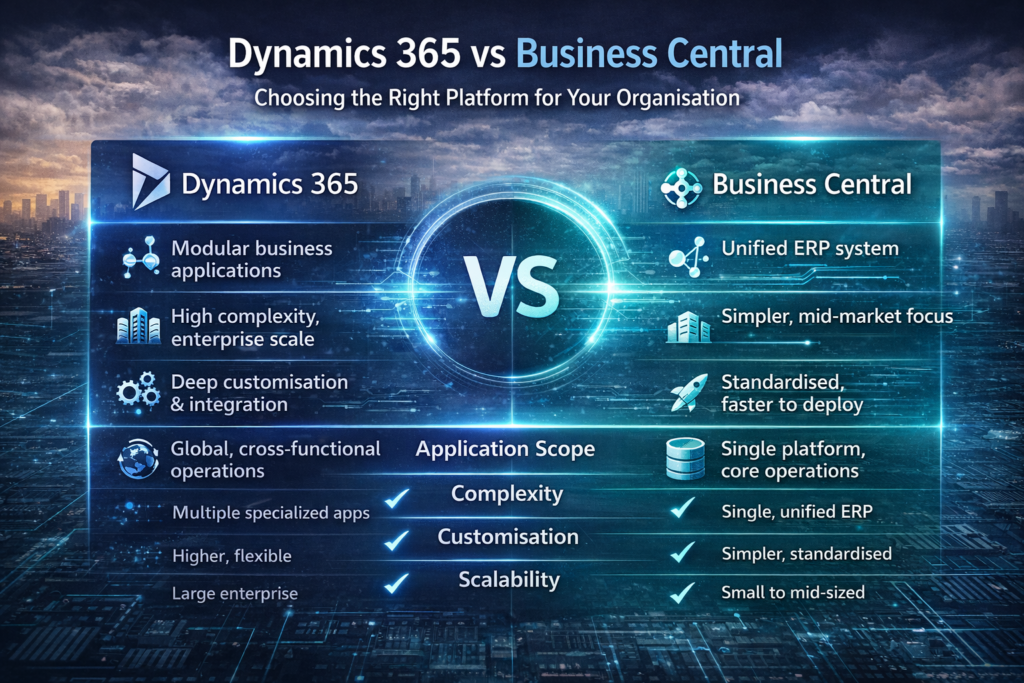
Business Central is designed primarily as a single, unified ERP platform, while Dynamics 365 represents a suite of modular enterprise applications that organisations can combine to build a broader digital business platform.
Understanding this distinction is fundamental to choosing the right solution.
What is Microsoft Dynamics 365?
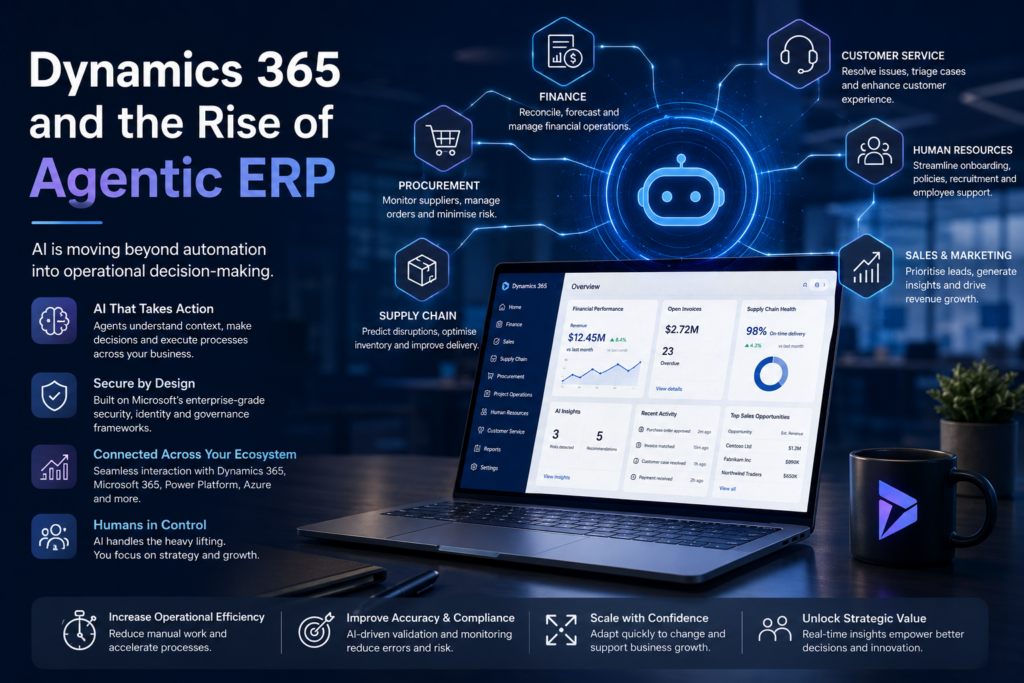
Dynamics 365 is not a single product but rather a collection of specialised business applications.
These applications cover different operational domains, including:
• Dynamics 365 Sales for customer relationship management
• Dynamics 365 Customer Service for support operations
• Dynamics 365 Marketing for campaign management
• Dynamics 365 Finance for enterprise financial operations
• Dynamics 365 Supply Chain Management for logistics and manufacturing
• Dynamics 365 Field Service for service-based operations
Organisations can implement individual components depending on their needs, integrating them together as required.
This modular structure provides significant flexibility. Companies can start with a specific capability, such as customer service or finance, and gradually expand the platform as their operational requirements evolve.
Dynamics 365 is typically used by larger organisations or those with complex operational environments, where different business functions require specialised systems that integrate into a broader digital architecture.
Because of this flexibility, Dynamics 365 implementations often involve deeper system integration, more complex data flows, and more extensive architectural planning.
What is Microsoft Business Central?
Business Central, by contrast, is designed as an all-in-one ERP platform.
Originally derived from Microsoft’s NAV product line, Business Central provides integrated capabilities for:
• finance and accounting
• inventory and supply chain management
• purchasing and sales processes
• project management
• reporting and analytics
The goal of Business Central is to provide a comprehensive business management solution that allows organisations to manage most operational processes within a single platform.
This approach simplifies implementation and reduces the need for multiple specialised applications.
Business Central is particularly well suited to small and mid-sized organisations that require strong operational capabilities but do not necessarily need the full modular complexity of Dynamics 365.
It also integrates closely with Microsoft’s broader ecosystem, allowing organisations to extend functionality using tools such as Power Automate, Power BI, and Power Apps.
Key Differences Between Dynamics 365 and Business Central
While both platforms are part of Microsoft’s business application family, they differ significantly in their design philosophy and intended use cases.
Platform Structure
Business Central is designed as a single integrated ERP system. All major operational capabilities exist within the same application environment.
Dynamics 365 operates as a suite of individual applications, each specialising in a specific business function.
This modular structure allows Dynamics 365 to scale across complex organisations where different departments require dedicated systems.
Implementation Complexity
Business Central implementations are typically simpler and faster to deploy.
Because the platform includes many capabilities out of the box, organisations can often implement it with relatively limited custom development.
Dynamics 365 implementations, on the other hand, tend to involve more complex architectural planning.
Multiple applications may need to be integrated. Data models must be aligned. External systems often need to be connected to the platform.
While this complexity provides flexibility, it also requires more careful system design.
Customisation and Flexibility
Business Central allows organisations to configure processes and extend functionality through extensions and integrations.
However, the platform is designed to maintain a relatively standardised structure.
Dynamics 365 provides much deeper flexibility.
Organisations can combine different modules, build custom integrations, and create specialised workflows that align with their operational models.
For enterprises with complex requirements, this flexibility can be extremely valuable.
Scalability
Both platforms are cloud-based and capable of supporting growing organisations.
However, they scale in different ways.
Business Central scales effectively for organisations that maintain relatively standard operational models.
Dynamics 365 is designed to scale across large enterprise environments with complex operational processes, global operations, and extensive integrations.
Use Case Focus
Business Central focuses primarily on ERP functionality, particularly around finance, operations, and supply chain management.
Dynamics 365 includes a broader set of applications that extend beyond ERP, covering areas such as customer engagement, marketing automation, and field service management.
When Business Central Is the Right Choice
For many organisations, Business Central provides an excellent balance between capability and simplicity.
The platform is particularly well suited to organisations that:
• want a single system to manage core business operations
• operate with relatively standard financial and operational processes
• prefer faster implementation timelines
• want predictable system architecture
• do not require highly specialised operational workflows
Many mid-sized organisations find that Business Central provides the functionality they need without introducing unnecessary complexity into their technology environment.
It allows them to manage operations efficiently while still integrating with the broader Microsoft ecosystem.
When Dynamics 365 Is the Better Fit
Dynamics 365 becomes the stronger option when organisations operate in more complex environments.
Examples include organisations that require:
• sophisticated customer engagement workflows
• advanced sales and marketing automation
• complex service management processes
• large scale system integrations
• global operational structures
In these scenarios, the modular architecture of Dynamics 365 allows organisations to build a platform that reflects their operational complexity.
Different departments can adopt specialised applications while still maintaining a unified data environment.
Integration with the Microsoft Ecosystem
One of the strongest advantages shared by both platforms is their integration with Microsoft’s broader technology ecosystem.
Both Business Central and Dynamics 365 integrate seamlessly with tools such as:
• Microsoft 365 for productivity and collaboration
• Power BI for advanced reporting and analytics
• Power Automate for workflow automation
• Power Apps for building custom business applications
• Azure for cloud infrastructure and services
These integrations allow organisations to extend their business systems without needing to adopt entirely new technology platforms.
For example, organisations can build custom workflows using Power Automate, create dashboards in Power BI, or develop specialised applications using Power Apps.
This flexibility allows both platforms to form the core of a broader digital ecosystem.
Architectural Considerations
Choosing between Dynamics 365 and Business Central is not simply a matter of comparing features.
It requires understanding how the platform will fit within the organisation’s overall technology architecture.
Key questions organisations should consider include:
• How complex are our operational processes today?
• How much complexity do we expect in the future?
• How many other systems will this platform need to integrate with?
• How central will this platform be to our digital ecosystem?
• How quickly do we need to deploy the solution?
In some cases, organisations may start with Business Central and later introduce Dynamics 365 applications as their requirements evolve.
In other cases, the scale and complexity of operations may justify adopting Dynamics 365 from the outset.
Avoiding the “Feature Comparison” Trap
One common mistake organisations make when evaluating business platforms is focusing too heavily on feature comparisons.
While features are important, they rarely determine long-term success.
The real challenge lies in how well the platform aligns with the organisation’s operational model and long-term growth strategy.
A system with the most features is not always the best choice.
In many cases, a simpler platform that closely aligns with the organisation’s processes will deliver far greater value.
Thinking Long Term
Business platforms are rarely short-term investments.
Once implemented, they often become deeply embedded within an organisation’s operations, data structures, and workflows.
Replacing them later can be difficult and disruptive.
For this reason, the decision between Dynamics 365 and Business Central should be made with a long-term perspective.
Organisations should consider not only their current needs but also how their operations may evolve over the next five to ten years.
Platforms that support growth and integration will often deliver far greater value over time than those that simply meet today’s requirements.
Final Thoughts
Both Dynamics 365 and Business Central are powerful components of Microsoft’s business application ecosystem.
The key difference lies in how they are designed to support organisations.
Business Central provides a comprehensive ERP platform that suits many small to mid-sized organisations.
Dynamics 365 offers a modular ecosystem of applications designed to support larger organisations with more complex operational needs.
The most important factor is not which platform is “better”, but which platform aligns best with the organisation’s operational complexity, integration requirements, and long-term technology strategy.
When chosen carefully and implemented with strong architecture and governance, either platform can become a powerful foundation for modern business operations.