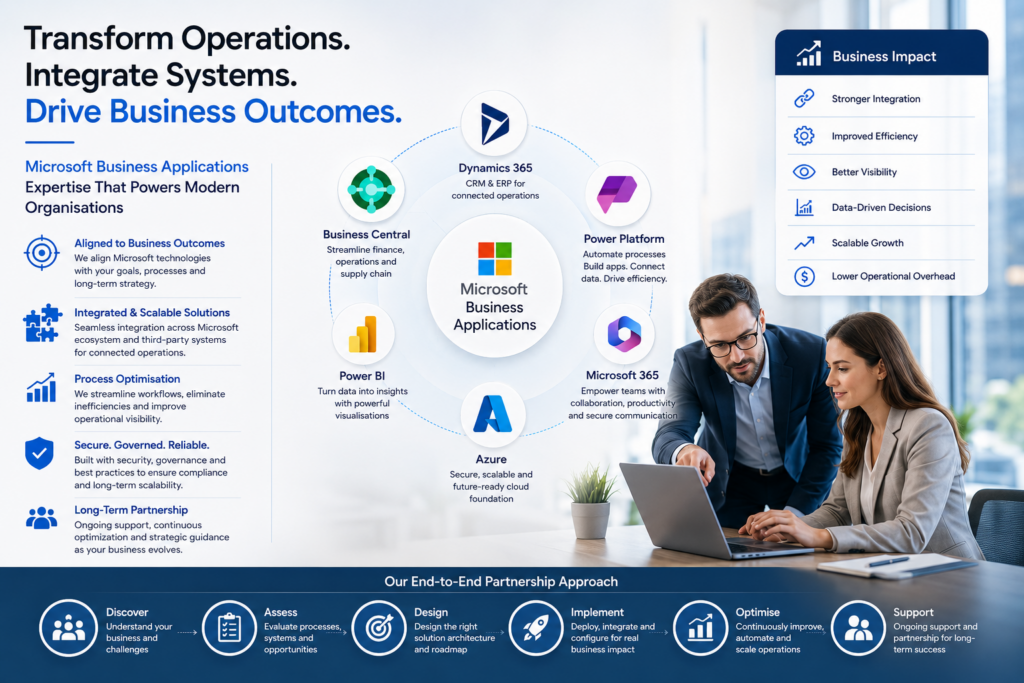





Microsoft Power Platform has quickly emerged as one of the most dynamic and valuable ecosystems for businesses utilising Dynamics 365 (D365). With data, automation, and intelligence seamlessly integrated in one suite of tools, the Power Platform has enabled companies to extend the functionality and capabilities of their Dynamics solutions in numerous ways.
The ability to easily integrate and consolidate across D365, Power BI, Power Apps, Power Automate, and Power Virtual Agents has become table stakes in the modern digital business. It allows teams to visualise insights, improve workflows, and deliver new digital experiences – all without leaving the Microsoft family of applications.
As a trusted microsoft power platform consultant, Newpath has seen firsthand how these integrations unlock significant operational efficiencies and innovation potential. Below, we explore the most valuable Power Platform integrations for Dynamics 365 and how they help businesses operate smarter, faster, and more effectively.
Power BI: Unlocking Value from D365 Data
Power BI is one of the most well-known and often most valuable tools for D365 users. Delivering real-time insights across customer interactions, financial performance, and operations, Power BI, when embedded into Dynamics 365, allows users to visualise data without leaving the platform.
In a customer engagement context, Power BI dashboards can be used to analyse customer activity, pipeline health, and retention metrics to provide leaders with the information they need to make data-driven decisions. Finance and operations users can monitor KPIs, profitability and compliance data via interactive dashboards.
A key benefit of Power BI with D365 is the ability to combine data from multiple sources – CRM, ERP, external systems – into a single, unified view. This creates a complete 360-degree end-to-end perspective to support strategic insights and decision-making.
Power Automate: Boosting Productivity through Workflow Automation
In a productivity-driven world, where efficiency is key, Microsoft Power Automate (previously known as Microsoft Flow) is the magic sauce that transforms manual processes into streamlined automated workflows. When integrated with Dynamics 365, Power Automate can be used to trigger workflows based on specific conditions or actions, such as sending an auto follow up email when an opportunity reaches a certain stage or automatically updating an ERP record when a sales order is confirmed.
Automation saves time and resources, ensuring consistency across business processes and minimising the risk of errors or omissions. It also allows employees to focus on higher value work rather than repetitive or routine tasks. Power Automate is also an important glue technology between multiple systems and databases, ensuring information is accurately exchanged in real-time between disparate systems.
Advanced use cases often also include automating notifications, approvals and triggering responses from external systems like SharePoint, Teams and Outlook.
Power Apps: Building Custom Solutions with D365
Power Apps is a transformative technology for any organisation looking to build custom applications without the overhead and expense of custom development. Drag and drop functionality empowers business users to design their own apps that are fully integrated with Dynamics 365 data.
For example, a field service company may create a mobile inspection app with forms, photos and job details that sync to Dynamics 365 Field Service in real time – even when offline. Or a retail business may develop a custom app for internal inventory management and auto-generated stock alerts.
This low-code/no-code development accelerates innovation and enables organisations to customise quickly in response to dynamic business needs. With the guidance of a power platform developer consultant these applications can then be iterated into powerful enterprise scale tools that optimise internal operations and enhance the customer experience.
Power Virtual Agents: Automating B2B & B2C Customer and Employee Interactions
AI-driven chatbots have become a critical part of the modern customer and employee engagement experience. Power Virtual Agents is a Microsoft technology that allows any organisation to easily create intelligent, automated bots that can be configured to access data from within D365.
A customer service chatbot for example may instantly access a caller’s order history, warranty, or open cases from D365 Customer Service and provide faster, more relevant support. Internally, bots can be used to assist employees by providing HR, IT helpdesk, or policy updates without human intervention.
Integrating Power Virtual Agents with D365 is a great way to increase responsiveness and lower the burden on support teams, while ensuring that help is always available 24/7. Chatbots can also be enhanced with Microsoft AI Builder to include functionality such as sentiment analysis for continuously improving quality and tone of engagement.
Power Pages: Developing External D365 Portals
Power Pages (previously known as Power Apps Portals) is an easy, secure, and scalable way for any organisation to extend Dynamics 365 data out to external users. Whether they are customers, partners, or suppliers, external portals allow users outside of an organisation to access certain information and functionality within Dynamics 365.
For example, a supplier portal might allow vendors to view order status, upload invoices, and track payments all from one place, directly connected to Dynamics 365 Finance and Operations. A customer portal might include links and forms for users to open cases, track deliveries or update their own account information in real time with Dynamics 365 Customer Engagement.
Power Pages can be used to create such portals with a no-code/low-code drag and drop solution for building custom, branded, responsive websites that integrate with D365 at the backend.
Creating a Connected Ecosystem with D365 and Power Platform
The real power of the Power Platform, of course, is that all of these tools are designed to work together. They share data seamlessly through Dataverse and collectively enable a new level of automation and intelligence that spans across business functions.
For example, a Power App may be used to capture customer feedback directly on point-of-sale; Power Automate can then be configured to pass this data into D365 Sales for routing and follow-up; Power BI can be used to visualise satisfaction trends for management purposes; and Power Virtual Agent bots can be used to follow up with a lead automatically through a conversation. When configured together, these integrations create a self-sustaining ecosystem that continuously learns, improves and adds value to the business.
Embracing the Power of D365 and the Power Platform
Digital transformation strategies across all industries are inevitably leading more organisations towards an integration of D365 with the Power Platform. Combined, they unlock the ability to run faster, smarter, with more insight and automation than ever before.
Strategically choosing which Power Platform tools are most relevant to an organisation’s unique context, and configuring them expertly for maximum impact, is a critical success factor for any digital business. This is where a Microsoft Power Platform consultant can help.
An experienced Microsoft Power Platform consultant has a high-level understanding of the challenges and opportunities presented by these tools. They can also point organisations to new capabilities that, when integrated with Dynamics, can create unique sources of differentiation and competitive advantage.
Whether it’s improving report accuracy, elevating customer experiences or automating mundane and tedious workflows, Power Platform integration is an essential foundational component of intelligent, scalable digital business.